Associate Words: Solitaire
Astrasen GlobalWord
4.8569.00 Reviews
- Version
- 1.340
- Installs
- 1.00M
- Age Rating
- Everyone
Screenshots
Our Review of Associate Words: Solitaire
 Analysis by Appyee
I approach a word-and-card game differently from ordinary Solitaire: the useful question is not only which card can move, but what connection makes a pair feel right. That small shift gives Associate Words: Solitaire a more deliberate rhythm than a standard card layout. I’d recommend it to someone who wants a compact puzzle to think through at an easy pace, rather than a game that depends on quick reactions or a long story.
Start with the association, then plan the move
My best baseline is to scan the visible words before moving anything. I look for obvious relationships first, then check whether making that match will open up a useful next choice. A word pair can seem clear in isolation but still be a poor move if it leaves the remaining cards harder to read. Treating each move as both a language decision and a bit of board management is more satisfying than simply matching the first two words that come to mind.
That approach also helps when a connection is less immediate. I try a few broad ways of thinking about a word: is it a type of something, a part of something, a common partner, or linked by a familiar setting? This is not a special trick or a guaranteed solution; it is a practical way to avoid fixating on one interpretation. The game’s appeal comes from switching between word sense and card position, and a short pause to reconsider both can be more useful than moving quickly.
Use hints as a learning aid, not an autopilot
The hint option is most helpful when I have already made a serious attempt and cannot see a route forward. I use it as a nudge, then think about why the suggested direction makes sense before continuing. That turns a stuck moment into a small vocabulary exercise instead of making the hint button the whole strategy. If I tap for help at every uncertain pair, I lose the pleasure of working out the association myself.
A good repeatable habit is to scan once without touching the cards, make the strongest match I can justify, and then pause to reassess what the layout now offers. If the next move is unclear, I revisit the words rather than assuming I have to guess. This is especially useful in a quick play session: it keeps the game thoughtful without turning every board into a prolonged analysis. The right pace is personal, but I find deliberate moves make the word element feel like the point rather than an obstacle.
Where it fits in a day
I can see this working well during a quiet break when I want something more engaging than scrolling but do not have the attention for a complex strategy game. It also suits a short wind-down at home: I can focus on a few word links, set the phone aside, and return later when I feel like another puzzle. Because its core challenge is visual and verbal, it is a better fit for a calm moment than for playing while trying to follow a conversation or watch something closely.
For someone who enjoys word games but finds plain word searches repetitive, the card layout adds a useful layer of choice. For a Solitaire fan who wants the familiar satisfaction of considering moves, the associations change what counts as a promising play. It is less suitable if you mainly want a conventional card game with standard suits and ranks, or if you prefer a word puzzle with a single precise answer and no card-management element. In those cases, a traditional Solitaire app or a straightforward crossword-style game will likely be a better match.
Settings and session choices
Before settling into longer sessions, I would check the options the game actually presents and choose a pace that feels comfortable. I would not assume that a setting changes the puzzle rules; the useful point is simply to make the play experience suit your habits. If you are sensitive to interruptions, keep in mind that the game may show ads, while optional purchases are available. The game is free to download, and the listed in-app purchase range runs from $0.99 to $99.99 per item, so I would decide whether spending is worthwhile only after trying the basic experience.
It is also worth thinking about when to stop. Word associations can become subjective if I play while tired, and pushing through a board when every connection feels doubtful is not always fun. I would rather take a break and return with a fresh eye than treat every unclear move as a test of vocabulary. That small boundary makes the game feel like a relaxing puzzle instead of a chore.
The game is made by Astrasen Global and is rated for Everyone. Its average rating is 4.8 from around 9,500 ratings, and it has more than 100,000 installs. Those figures suggest that many players have found an audience for this particular blend, but they cannot tell you whether its style of association will suit your own taste. I would use a first session to decide whether I enjoy the combined word-and-card decisions, rather than treating popularity as a promise that every puzzle will click for me.
What experienced play can and cannot do
With more practice, I get quicker at noticing familiar kinds of connections, but I do not think speed should be the main measure of improvement. A stronger habit is learning to separate a genuinely clear association from one that only seems plausible because I want to make a move. When two words feel related in several possible ways, I take the layout into account and favor the choice that leaves me with a more readable position. That is a judgment call, not a hidden mechanic, and it is exactly where the game asks me to think.
There is a limit to how much strategy can solve. Word associations depend on language and personal familiarity, so a connection that feels natural to one player may take longer for another. If I expect every match to follow a strict dictionary definition, I may find the looseness frustrating; if I accept that the puzzle asks for recognizable relationships, the process feels more flexible. This makes the game approachable, though it also means players who want perfectly formal word logic may prefer a different kind of puzzle.
I would not choose it as my first recommendation for someone looking for a deep, competitive card strategy experience. The word layer is the main attraction, and the familiar solitaire framing supports it rather than replacing a full traditional card game. Likewise, players who want a social word challenge should look elsewhere if their main goal is direct competition with friends. Here, the satisfying part is working through the association puzzle at your own pace, not relying on a match against another person.
How it compares with familiar alternatives
Compared with ordinary Solitaire, this game asks me to use meaning rather than card rank as the center of my decision-making. That makes it feel fresher when I am tired of the same familiar patterns, but it is not a substitute for every kind of Solitaire session. Compared with a word search, it is less about spotting a word already placed in a grid and more about deciding how two visible ideas relate. Compared with a crossword, it gives me less of a fixed clue-and-answer structure and more room to interpret a connection.
That difference is the main reason to try it, and also the main reason someone might pass. If I enjoy making associations and then considering how a move affects the remaining layout, the two parts reinforce each other. If I find open-ended links annoying, the combination can feel less satisfying than a tightly defined word puzzle. I would make that distinction before spending money on extras: play for the particular mental rhythm, not because the title contains the word Solitaire.
Practical details before you play
The game is free, with optional in-app purchases, so trying its central idea does not require an upfront purchase. The current version is 1.181, and it requires Android 6.0 or later on Android devices. It is also available on iOS. If you are choosing a game for a younger player, its Everyone content rating is a helpful starting point, though I would still consider whether that player enjoys word associations and card layouts rather than assuming the rating means every child will find it engaging.
For a first session, I would not rush to use hints or focus on how many boards I complete. Instead, I would check whether the association choices feel enjoyable, whether the card arrangement makes me think ahead, and whether ads interrupt my preferred pace. Those are the practical questions that determine whether this is a casual game I will reopen. If the central matching idea clicks, the simple routine of scan, connect, and reassess is enough to make short sessions feel worthwhile.
A measured recommendation
Overall, Associate Words: Solitaire is a good pick for players who want a calm word puzzle with a card-based structure and room to think between moves. I like that it gives familiar solitaire-style play a different mental focus without asking me to learn a complicated premise. Its strongest moments come when a word link feels satisfying and the resulting move also leaves a sensible path through the layout.
I would recommend giving it a try if you enjoy language puzzles, prefer a thoughtful pace, and do not mind associations that can be more flexible than crossword clues. I would skip it if you want conventional card rules, strict one-answer word logic, or a more competitive social experience. The game is free to start, rated Everyone, and developed by Astrasen Global; its appeal ultimately depends on whether pairing words while managing a card layout feels relaxing to you. For me, that combination makes it a pleasantly different option for a quiet break, with the caveat that ads and subjective connections may not suit every player.
What Makes It Stand Out?
Let me tell you, Associate Words: Solitaire is a breath of fresh air in the app world. At its core, it's a game that combines the strategic elements of Solitaire with the creative challenge of word association. It's perfect for those quiet evenings when you're craving something more engaging than mindless swiping.
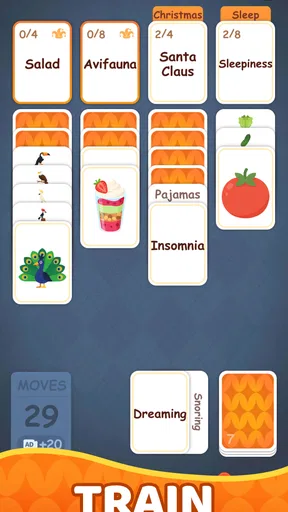
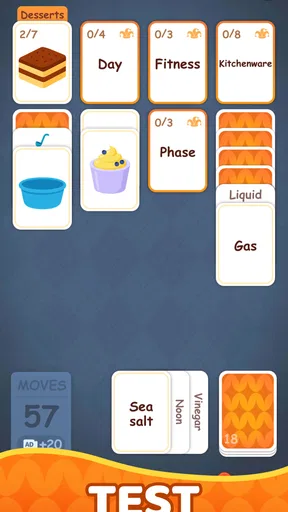
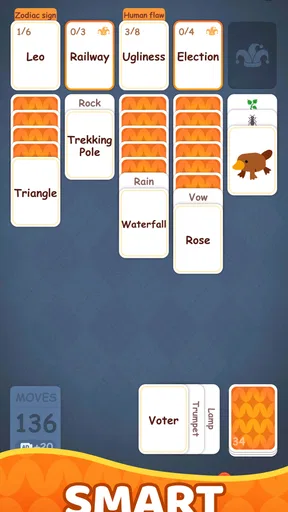
As soon as you launch the app, you're greeted with a clean, intuitive interface. The design is sleek, with soothing colors that don't strain your eyes, even during those marathon sessions. The game mechanics are straightforward, but don't let that fool you; the real challenge lies in the clever word puzzles.
Gameplay and Features
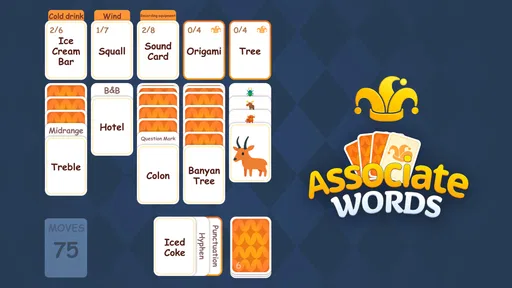
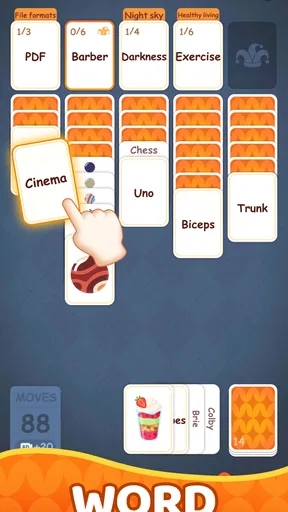
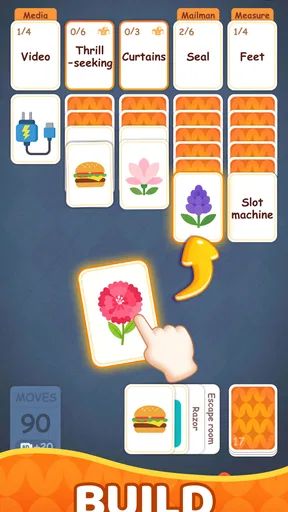
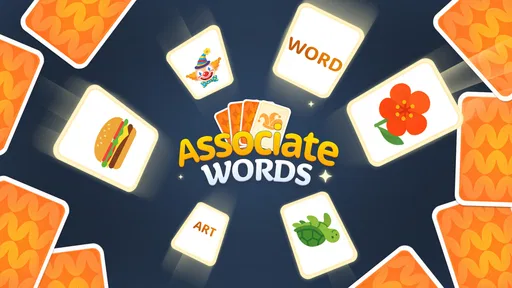
The game starts with a classic deck of cards laid out in the familiar Solitaire format. But here's the twist: each card has a word on it. Your goal is to match cards based on word associations. It's like a puzzle within a puzzle! For example, you might match "apple" with "fruit" or "sky" with "blue." This added layer of complexity makes every move more thoughtful and strategic.
One of my favorite features is the hint system. If you ever find yourself stuck (and trust me, you will), there's a handy hint button that nudges you in the right direction without giving away too much. It’s like having a friend whispering helpful advice in your ear.
Why You'll Love It
What I love about this game is how it seamlessly blends relaxation with mental stimulation. It's perfect for unwinding after a long day while still keeping your brain engaged. Plus, it's a fantastic way to expand your vocabulary. Who knew learning could be this fun?
The app also boasts a variety of levels, each with increasing difficulty. This ensures that even seasoned players will find a challenge waiting for them. And if you're competitive like me, you'll appreciate the leaderboard feature that lets you see how you stack up against other word wizards.
A Few Things to Keep in Mind
While Associate Words: Solitaire is a stellar app, there are a couple of things to note. The game is free to download, but there are in-app purchases available. These aren't necessary to enjoy the game, but they can enhance your experience if you're willing to spend a little extra.
Also, like many apps, there are occasional ads. They're not too intrusive, but it's something to be aware of if you're someone who prefers an ad-free experience.
Final Thoughts
In a sea of mobile games, Associate Words: Solitaire truly stands out. It's a delightful blend of strategy, creativity, and just plain fun. Whether you're a wordsmith or a card shark, there's something here for everyone. So, if you're looking for a fresh twist on a classic game, give it a try. You might just find yourself hooked on this charming little app.
Ready to dive into the world of word associations and card strategy? You can download Associate Words: Solitaire on both Android and iOS. Trust me, you won't regret it!
Privacy and Permissions
See what permissions an app requests and how it handles your data.
- Device & app history
- retrieve running apps
- Wi-Fi connection information
- view Wi-Fi connections
- Other
- view network connections, full network access, control vibration, prevent device from sleeping, Google Play license check
Verdict
Strengths of Associate Words: Solitaire
- Engaging and addictive gameplay.
- Simple and intuitive interface.
- Customizable card themes.
- Offline play available.
- Daily challenges for rewards.
Limitations of Associate Words: Solitaire
- Contains in-app advertisements.
- Limited free hints available.
- Requires frequent updates.
- Battery consumption is high.
- No multiplayer mode offered.
Other Releases by Astrasen Global
View All


Similar Picks in This Category
View All
Word Search - Word Puzzle Game
Bluetile4.8

Word Search Quest - Puzzles
Blackout Lab4.8

CodyCross: Crossword Puzzles
Fanatee, Inc.4.7

Words of Wonders: Crossword
Fugo Games4.9

Wordscapes: Word puzzle game
PeopleFun4.7

Word Search Explorer
PlaySimple Games4.9
Frequently Asked Questions
What is Associate Words: Solitaire and how does it work?
Associate Words: Solitaire is a unique twist on the classic solitaire game, integrating word association puzzles with traditional card play. Players must match cards based on word connections instead of numbers or suits, offering a fresh and challenging approach to solitaire enthusiasts. The game includes various levels and increasing difficulty to keep players engaged.
Is Associate Words: Solitaire free to download and play?
Yes, Associate Words: Solitaire is free to download on both Android and iOS platforms. While the core gameplay is free, the app offers in-app purchases for additional features, such as hints or premium levels. These purchases are optional and not necessary to enjoy the base game.
Does Associate Words: Solitaire require an internet connection to play?
No, Associate Words: Solitaire can be played offline, making it perfect for those who enjoy gaming on the go without relying on a constant internet connection. However, certain features, such as leaderboard access or in-app purchases, may require an internet connection.
Are there any accessibility features in Associate Words: Solitaire?
Yes, Associate Words: Solitaire includes several accessibility features to enhance player experience. These include adjustable text sizes, colorblind mode, and voiceover support. The developers are committed to ensuring that the game is enjoyable for a wide range of players, including those with specific accessibility needs.
Can I sync my progress in Associate Words: Solitaire across multiple devices?
Yes, the game offers a syncing feature through cloud storage, allowing players to save and continue their progress across multiple devices. By connecting the game to a social media account or email, you can ensure your progress is backed up and accessible from any compatible device.
Play our best games!


